Overview
For this team project my team created a proof-of-concept for a single-source solution to manage and publish content much more efficiently. Prior to delivering our proof of concept, a technology company (“Tech Company”) published their content as PDF files and printed them for their customer any time there was an update to their product. Due to the high cost and inefficiency of generating a new PDF file and printing it for customers, “Tech Company” hired a consulting firm (“Content Rules”) to evaluate and streamline content management practices. My team was hired as a subcontractor to “Content Rules” to provide a single-source publishing proof-of-concept for “Tech Company’s” product documentation. Over the course of three weeks my team collaborated using Microsoft Teams to complete several tasks for our proof of concept. To outline our process and define the benefits “Tech Company” would have by adopting a single-source solution, my team created a client cover letter to accompany our proof-of-concept for “Content Rules.”
Tasks
To create a high-quality proof-of-concept my team completed several tasks over a three-week period. These tasks include the following:
- Categorize topic files with metadata tags and keywords for searchability.
- Create DITA-inspired topic templates using Herretto’s Information Model.
- Design three target outputs using HTML and CSS; a knowledge base website and two print PDFs.
- Write client cover letter outlining our process for the proof-of-concept. and the benefits to “Tech Company” of single-source publishing.
Our Process
To create a single-source publishing proof-of-concept, my team completed the above listed tasks in order, building off of each prior task. Following this process allowed my team to organize topic files selected from sample content provided to us and to produce a high-quality proof-of-concept.
Categorizing Topic Files by Topic Type
Before we could build our three target outputs, we had to categorize each of our selected files. To accomplish this, we created a content model that we used to identify topic files by topic type.
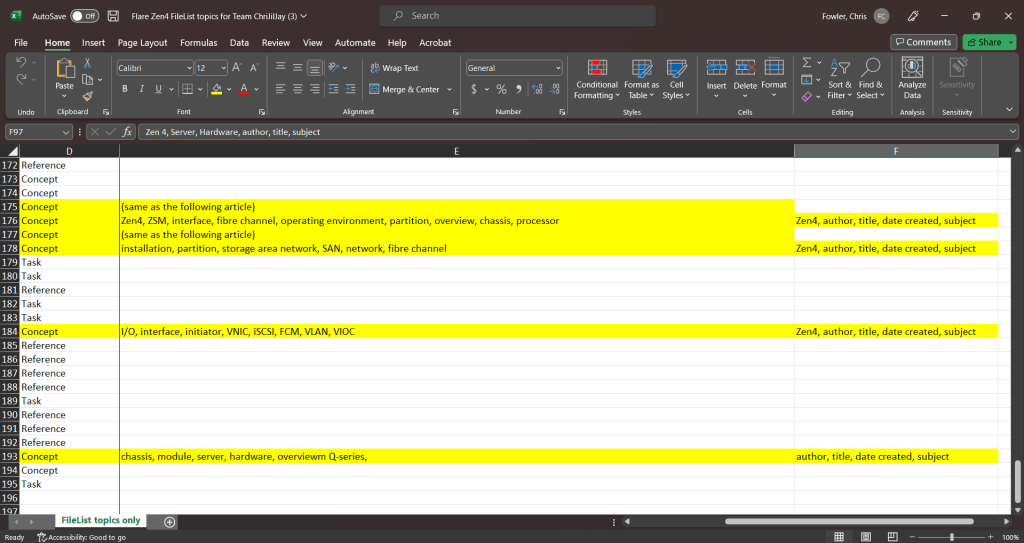
Once topics were categorized my team added metadata tags and keywords for searchability in the website knowledge base thus making it easier for internal and external users to find the information they seek much faster.
Topic Templates
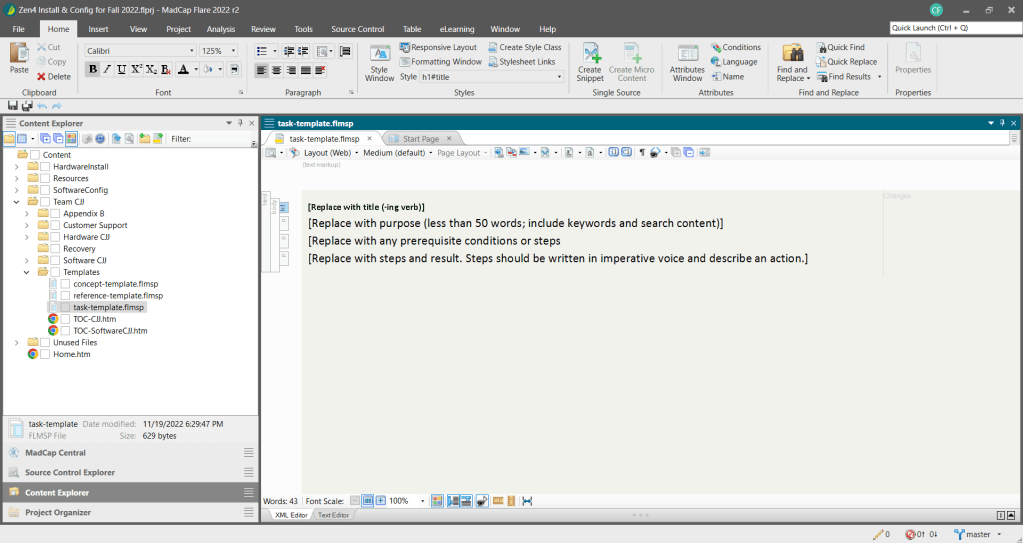
To further assist in categorizing our selected topic files, we created three DITA-inspired topic templates using Herretto’s Information Model, HTML, and CSS. By creating topic templates to categorize our topic files by topic type, we created a tool for “Tech Company” to use for more efficiently managing and publishing content related specifically to product documentation.
Furthermore, using topic templates based on topic type promotes continuity and uniformity across all topic files, which saves valuable time and money by eliminating the need to manually format new topics.
Building a Proof-of-Concept
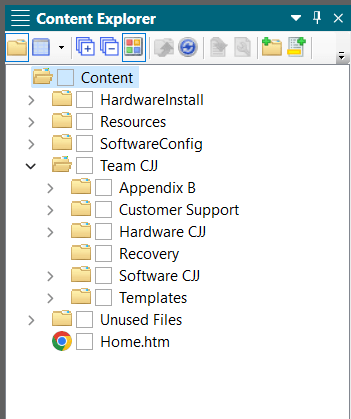
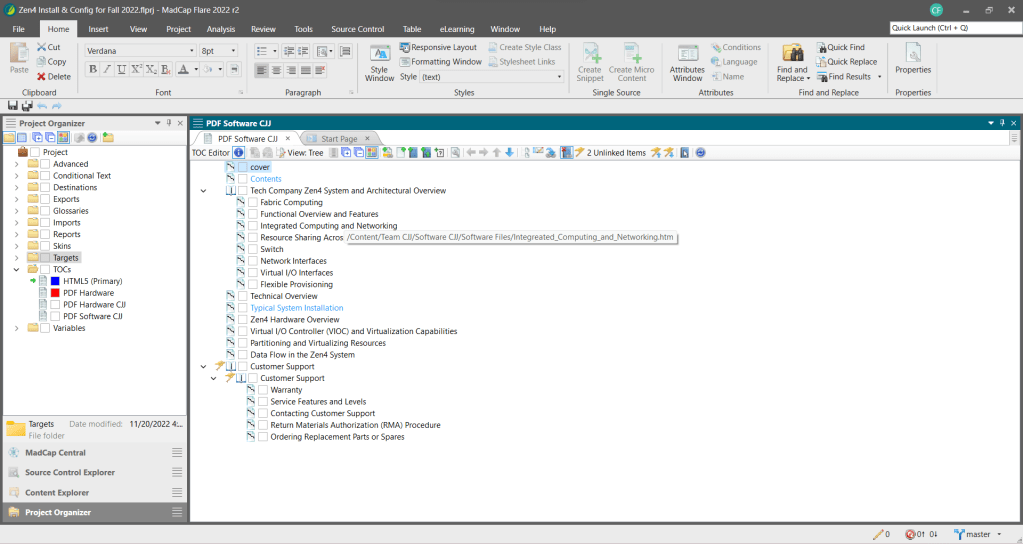
To build our proof-of-concept, we grouped each topic type in its own file in MadCap Flare, applied DITA standards for each topic type, and separated larger topics into smaller individual topics. Organizing our topic files this way made content more approachable and user friendly by creating sections for each topic type, applying the same standard across all topics of the same type, and by reducing topic file size.
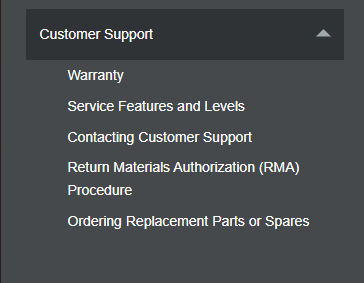
To further help users find product support we created a separate section for customer support. Categorizing topic files made it much easier to identify topic files related to customer support and place them in their own section.
With content organized by topic type in smaller topic files and standardized using DITA standards, it was much easier to build our three outputs for the proof-of-concept.
Target Outputs
My team created three target outputs, a website knowledge base and two print PDFs, to exemplify what a single-source solution to content management and publishing would look like.
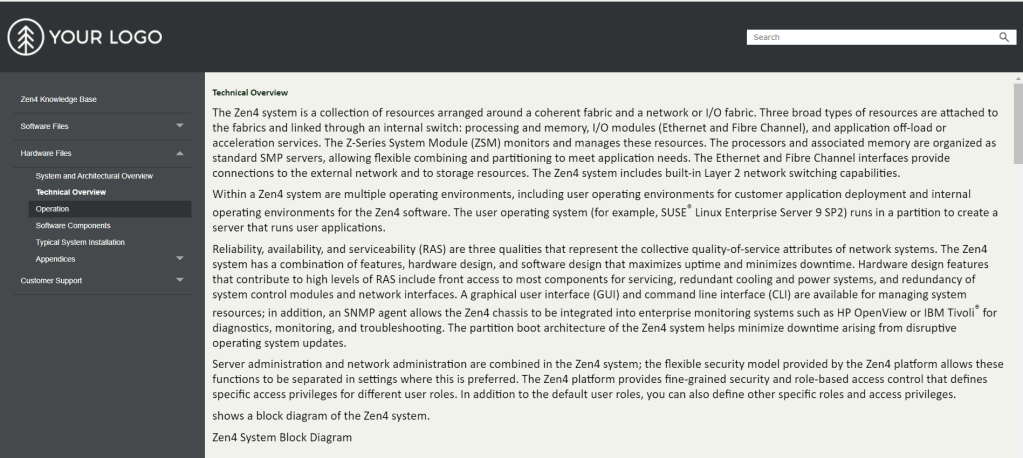
From our grouped topic files in MadCap Flare, we created a table of contents for each target output and used the target builder to produce our final outputs. For this part of the proof-of-concept we created several iterations until we had good outputs to present to our client.
Client Cover Letter
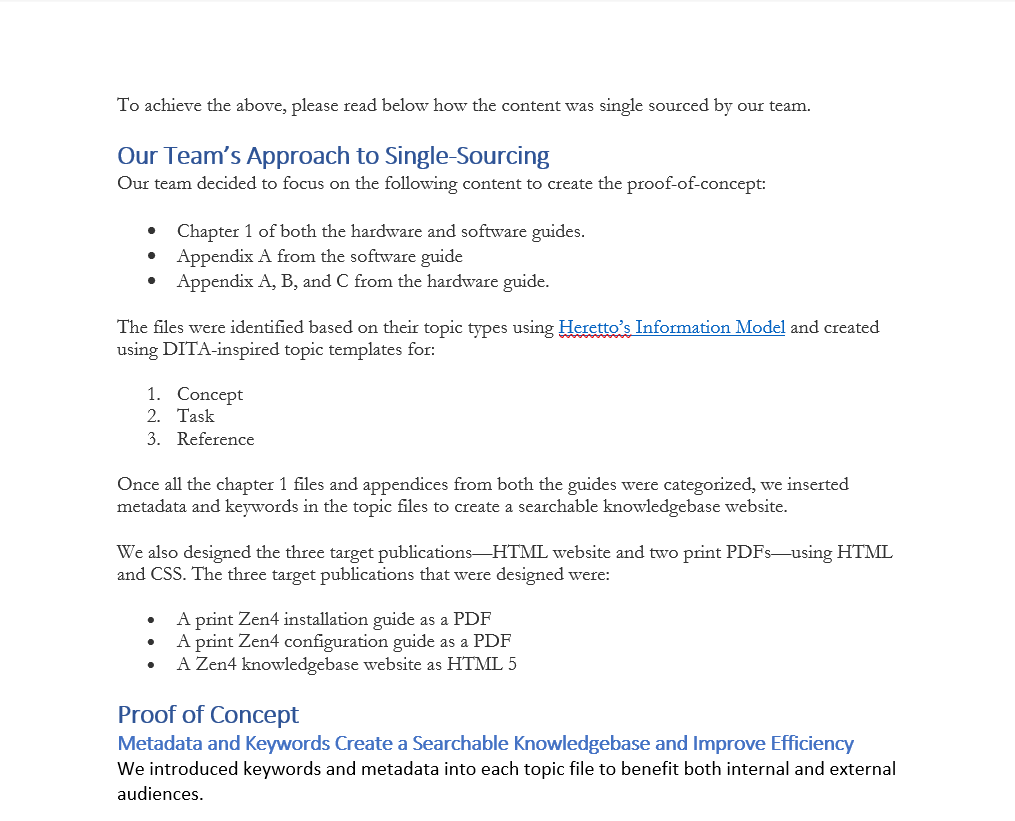
To outline our decisions for this proof-of concept, we wrote a client cover letter to supplement our proof-of-concept. In our client cover letter, we thoroughly defined the scope of our proof-of-concept, the rationale for decisions that we made to produce our target outputs, and the benefits that a single-source solution would have for “Tech Company’s” product documentation.
 C. W. Fowler